
The short answer
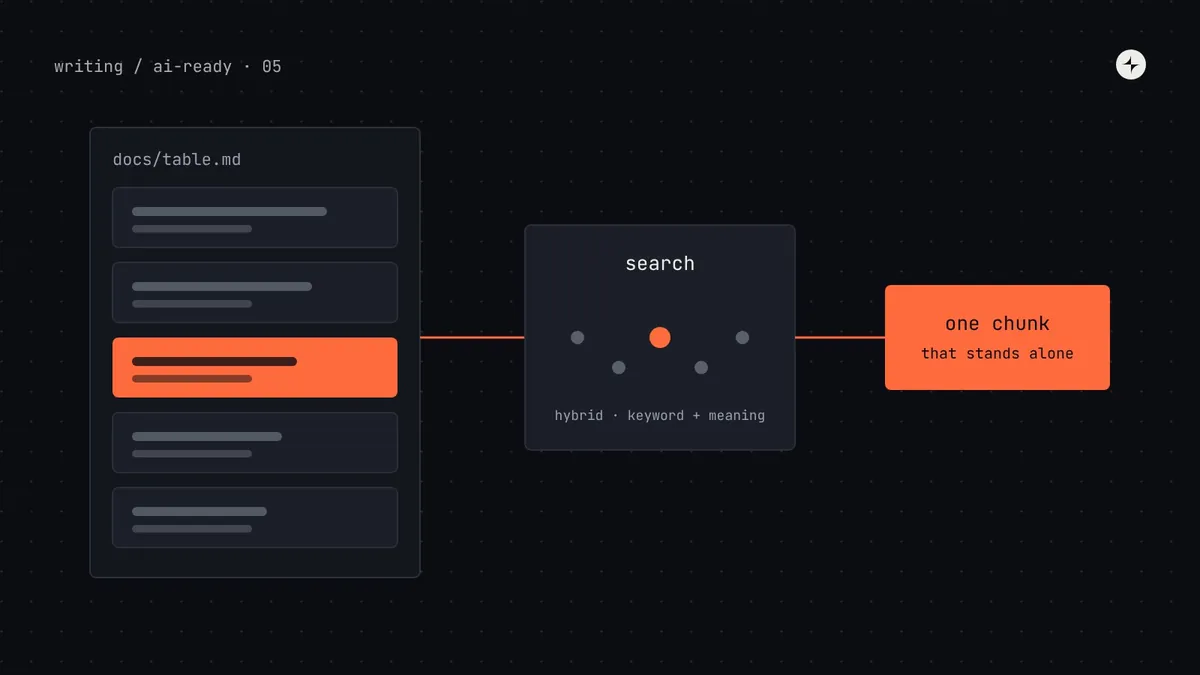
AI agents read documentation in pieces, not pages. A search step (often called retrieval, or RAG) finds the few sections that best match the task and puts only those in front of the model. So write docs where every section makes sense on its own: name the component or pattern in each heading, put the answer first, always include "when to use" and "when not to use", show a real code example, and avoid "as mentioned above". Keep the source in Markdown or MDX with a consistent template and frontmatter (status, version, last reviewed), generate prop tables from code so they can't go stale, and remove or clearly mark old pages. Then test retrieval with real questions your team has asked.
- Docs hold what metadata can't: patterns, content rules and the reasoning behind decisions.
- Small doc sets don't need a vector database. Clean Markdown that agents can search often works better.
- Part 5 of 20 in the series on AI-ready design systems.
The problem: the right page, the wrong section
Part 4 turned facts about each component into data. But much of a design system's value is knowledge that doesn't fit in a field: how to lay out a settings page, what to write in an empty state, why tables use inline editing in one place and a side panel in another. That lives in documentation, and agents read documentation very differently from people.
An illustration: the empty table
An agent building Harbor's employee list asks Kestrel's docs assistant: "What should a table show when a search returns no results?"
Two chunks. One from the 2023 "Tables" page: "Show the illustration and a 'Create' button." One from the 2025 "Empty states" page: "For no search results, don't show an illustration; say what was searched and offer to clear filters." The first says nothing about being outdated.
The agent followed the first chunk, because it mentioned tables. It added a big illustration and a "Create employee" button to a search with no matches, which is exactly what the 2025 guideline was written to stop.
Two things went wrong, and both are documentation problems: an outdated page was still searchable and looked current, and the newer guidance was split between pages so neither chunk alone told the whole story.
How agents read documentation
When an agent (or a "chat with our docs" assistant) needs information from a large body of documentation, it can't load all of it. Instead, a retrieval system works in two phases. You don't need to build one to benefit from this section. Knowing how it works tells you how to write.
Chunk: a piece of a document, typically one section, stored and retrieved on its own. Embedding: a list of numbers produced by an AI model that captures what a piece of text means, so texts with similar meanings get similar numbers. Vector database: a store that can quickly find the embeddings nearest to a given one. Semantic search: searching by meaning ("no results" also finds "nothing matched") rather than exact words. Hybrid search: combining semantic and keyword search, which usually works best.
The consequence is simple and important: each section of your docs will be read alone, out of order, next to sections from other pages. Write for that.
Seven rules for documentation that retrieves well
One topic per section
A section titled "Usage" that covers sizes, icons, loading states and destructive actions becomes one blurry chunk. Split it into sections with specific headings, so each chunk is about one thing.
Name the subject in every heading
"When to use" means nothing in isolation. "When to use ConfirmDialog" carries its context with it. It feels repetitive to a person reading top to bottom; it's essential for a chunk read alone.
Answer first, explain after
Start each section with the rule in one sentence, then the reasoning and examples. If the chunk is cut short, the answer survives.
No "as mentioned above"
References to other sections break when the chunk is read alone. Repeat the key fact, or link to it by name.
Always include when not to use
Agents over-apply whatever they find. Every component and pattern section should say what to use instead in the common wrong cases.
Put the meaning in text, not pictures
Rules shown only in a do/don't image are invisible to text retrieval. Keep the image, and write the rule in the caption or body.
Mark status and date on every page
Frontmatter like
status: deprecatedandreviewed: 2026-10lets the retrieval system filter out old pages and lets the agent weigh what it finds.
Before and after: rewriting one section
Here's a real-world-style section from Harbor's old Tables page, and the same guidance rewritten to the rules above.
## Empty

As mentioned above, tables can
be empty. In this case use the
second option from the image
below. See also the guidance in
the patterns section.

[image: three empty states]
No subject in the heading, a reference to "above", the actual rule is in an image, and "the patterns section" isn't a link.
## Empty states in Table

When a Table has no rows, show
TableEmpty instead of an empty
grid. What it says depends on why:

- No data yet: explain what will
  appear and offer the main action
  ("Add employee").
- No search or filter results:
  name what was searched and offer
  "Clear filters". No illustration,
  no create action.
- No permission: say who can
  grant access.

See: Empty states pattern.
The heading names the component; the answer is first; each case is spelled out; the link is named.
A component page template built for both readers
Consistency matters as much as quality. When every page has the same sections in the same order, both people and retrieval systems learn where to look. Here's the Markdown template Kestrel's team adopted. The frontmatter at the top is data; the body is for reading.
---
title: ConfirmDialog
component: ConfirmDialog
package: "@kestrel/harbor"
status: stable            # stable | beta | deprecated
since: "5.2.0"
replaces: [Modal, AlertDialog]
category: feedback
reviewed: 2026-10-14
owner: harbor-team
---

# ConfirmDialog

Asks the user to confirm an action before it happens, especially
one that deletes data or can't be undone.

## When to use ConfirmDialog
- Deleting, removing or cancelling something.
- Actions that affect other people, such as running payroll.

## When not to use ConfirmDialog
- The action is easy to undo: use a Toast with an Undo action.
- You need form fields: use Dialog.

## How to write ConfirmDialog content
- Title is a question naming the action: "Remove Ana Silva from payroll?"
- Confirm label repeats the verb: "Remove". Never "OK" or "Yes".
- Description says what happens and what is kept.

## ConfirmDialog example: removing a person
```tsx
<ConfirmDialog tone="danger" title="Remove Ana Silva from payroll?"
  confirmLabel="Remove" onConfirm={remove} onCancel={close} />
```

## ConfirmDialog props
<!-- generated from types: do not edit by hand -->

## ConfirmDialog accessibility
- Renders role="alertdialog" and traps focus.
- Cancel receives focus first, so Enter doesn't confirm by accident.
Compare with the general design system documentation template: the sections are the same, but the headings repeat the component name and the frontmatter carries machine-readable status.
Pattern pages need the same care
Patterns, such as forms, empty states, bulk actions and settings pages, are where agents most need help, because they combine many components and no single component's metadata covers them. Give each pattern page:
- The user problem it solves, in one sentence ("People need to find an employee among hundreds").
- The components it uses, by exact name, linking to their pages.
- A decision table for variations ("fewer than 10 options: radio group; more: Select with search").
- One complete code example of the most common version, not fragments.
- Content rules for the words on screen. See UX writing in a design system.
Which format to write docs in
| Format | Good for | Watch out for | Verdict |
|---|---|---|---|
| Markdown | Easy to write, diff and review; models read it very well; headings make natural chunks | Limited layout for live examples | Best default source |
| MDX | Markdown plus live components; used by Storybook and many docs sites | Custom components (<PropsTable/>) are empty when read as text; render them to Markdown for agents | Good, if you publish a plain-Markdown version |
| HTML docs site | Polished reading for people | Navigation, tabs and scripts add noise; content hidden in tabs may be missed | Publish, but offer .md versions too |
| Confluence or Notion | Easy for non-engineers to edit | Hard to keep next to code; versioning is weak; exports are messy | Move component docs next to the code |
| JSON | Facts: props, tokens, status | Poor for explanations and reasoning | For metadata (part 4), not prose |
Keeping docs current
Out-of-date docs are worse for agents than for people. A person notices that a screenshot looks old; an agent treats a 2023 page and a 2026 page as equally true. Four habits keep docs honest:
Never hand-write facts code knows
Prop tables, token values and component lists come from the build (parts 3 and 4). People write the judgement; machines write the facts.
Type-check the examples
Extract code blocks from docs in CI and compile them against the current package. A renamed prop then breaks the build instead of misleading an agent.
A reviewed date with a limit
Every page has reviewed:. A monthly script lists pages older than six months for their owners.
Remove, or mark and exclude
Deprecated pages either go, or carry status: deprecated and a pointer to the replacement, and the search index skips them.
Do you need a vector database?
Not necessarily. It depends mostly on how much documentation you have and who's asking.
| Situation | Approach | Why |
|---|---|---|
| Under ~200 pages, used by coding agents in your repos | Markdown files the agent can search itself, plus a good index in the rules file | Coding agents already search files well; nothing extra to run or keep in sync |
| Same, but you want precise answers through MCP | Keyword search (for example BM25) over chunks, inside your MCP server | Design system vocabulary is distinctive ("ConfirmDialog", "inset"), so keyword search works very well |
| Hundreds of pages, plus non-technical askers using everyday words | Hybrid search: embeddings in a vector store plus keyword search | People ask "popup" when your docs say "Dialog"; semantic search bridges the gap |
A minimal hybrid index, step by step
If you do need retrieval, here's a compact version using PostgreSQL with the pgvector extension, which many teams already run. The embedding step calls whichever embeddings API your company has approved; we leave it as a function so the example isn't tied to a provider.
// 1. Split Markdown pages into chunks at each "## " heading
import matter from "gray-matter";

export function chunkPage(path, text) {
  const { data, content } = matter(text);             // frontmatter → data
  return content.split(/\n(?=## )/).map((section) => ({
    page: data.title,
    status: data.status ?? "stable",
    reviewed: data.reviewed,
    heading: section.match(/^## (.*)/)?.[1] ?? data.title,
    url: path.replace(/\.mdx?$/, ""),
    content: section.trim(),
  }));
}
-- 2. A table for chunks (the vector size must match your embedding model)
CREATE EXTENSION IF NOT EXISTS vector;
CREATE TABLE doc_chunks (
id bigserial PRIMARY KEY,
page text, heading text, url text, status text, reviewed date,
content text,
embedding vector(1024),
tsv tsvector GENERATED ALWAYS AS (to_tsvector('english', heading || ' ' || content)) STORED
);
-- 3. At question time: nearest by meaning, skipping deprecated pages
SELECT page, heading, url, content
FROM doc_chunks
WHERE status <> 'deprecated'
ORDER BY embedding <=> $1 -- $1 = the question's embedding; <=> is cosine distance
LIMIT 8;
-- 4. And by keyword, for exact names like "ConfirmDialog"
SELECT page, heading, url, content
FROM doc_chunks
WHERE status <> 'deprecated' AND tsv @@ websearch_to_tsquery('english', $2)
ORDER BY ts_rank(tsv, websearch_to_tsquery('english', $2)) DESC
LIMIT 8;Merge the two result lists (a common method is reciprocal rank fusion: score each chunk by 1/(60 + its rank) in each list and add the scores), keep the top five, and return them with their URLs so the agent can cite where guidance came from. The status filter is what fixes the empty-table scenario: the 2023 page never reaches the model.
How to test your docs with real questions
Collect 30 real questions
Take them from Slack, office hours and support tickets: "Can I put a button in a table cell?", "What's the error message format?". Real wording matters; people don't use your component names.
Write the expected answer source
For each, note the page and section that should answer it. Where none exists, you've found a documentation gap.
Check retrieval
Run each question through your search (or ask a coding agent to find the answer in the docs folder). Is the expected section in the top five? That percentage is your retrieval hit rate.
Fix the misses by rewriting
Most misses are fixed by headings that name the subject, by splitting mixed sections, or by adding the words people actually use ("popup" in the Dialog page's intro).
An illustration: Harbor's first test
Common mistakes
Indexing everything
Old RFCs, meeting notes and abandoned proposals in the same index as the docs. Agents can't tell a proposal from a decision. Index published docs only.
Huge or tiny chunks
Whole pages as chunks bury the answer; single sentences lose context. A section under one heading, a few hundred words, is a good default.
Rules hidden in tabs and images
Content inside JavaScript tabs or only in images is often missing from the text the index sees. Check what your pages look like as plain text.
Building a chatbot before fixing docs
A retrieval system over contradictory docs gives confident, contradictory answers. Fix the content first; the tooling is the easy part.
The short version
- Agents read docs in chunks chosen by search, so every section must stand alone.
- Name the subject in each heading, answer first, include when not to use, avoid "as mentioned above".
- Write in Markdown or MDX next to the code, with frontmatter for status and review dates.
- Generate facts from code, type-check examples, and exclude deprecated pages from search.
- Test with 30 real questions; you may not need a vector database at all.
Next: AGENTS.md, llms.txt and rules files, the short files that tell every agent where all of this lives.
Frequently asked questions
How should design system documentation be written for AI?
In self-contained sections: name the component or pattern in every heading, put the rule first, include when not to use it, show a working example, and avoid references like "as mentioned above". Keep a consistent template with frontmatter for status and review dates.
What is RAG in simple terms?
Retrieval-augmented generation: before answering, the system searches a knowledge base for the most relevant passages and gives only those to the model. The model answers using them, instead of relying on what it learned in training.
Do I need a vector database for my design system docs?
Not always. Small doc sets in Markdown can be searched directly by coding agents or with keyword search. Embeddings and a vector store help when you have hundreds of pages and people ask in everyday words that don't match your terms.
Is Markdown or MDX better for AI-readable docs?
Both work as a source. Plain Markdown is read most reliably. If you use MDX, make sure custom components like props tables are rendered to text in the version agents read.
How do I stop AI using outdated documentation?
Mark every page with a status and review date in frontmatter, exclude deprecated pages from search indexes, delete pages that are no longer true, and generate facts like prop tables from code.
Further reading
- Anthropic: Contextual retrievalWhy chunks lose context, and techniques to restore it.
- pgvectorVector similarity search for PostgreSQL.
- PostgreSQL full text searchKeyword search used in the hybrid example.
- Design system documentation: what to includeThe general component page template.
- Design system patternsWhat belongs on a pattern page.