
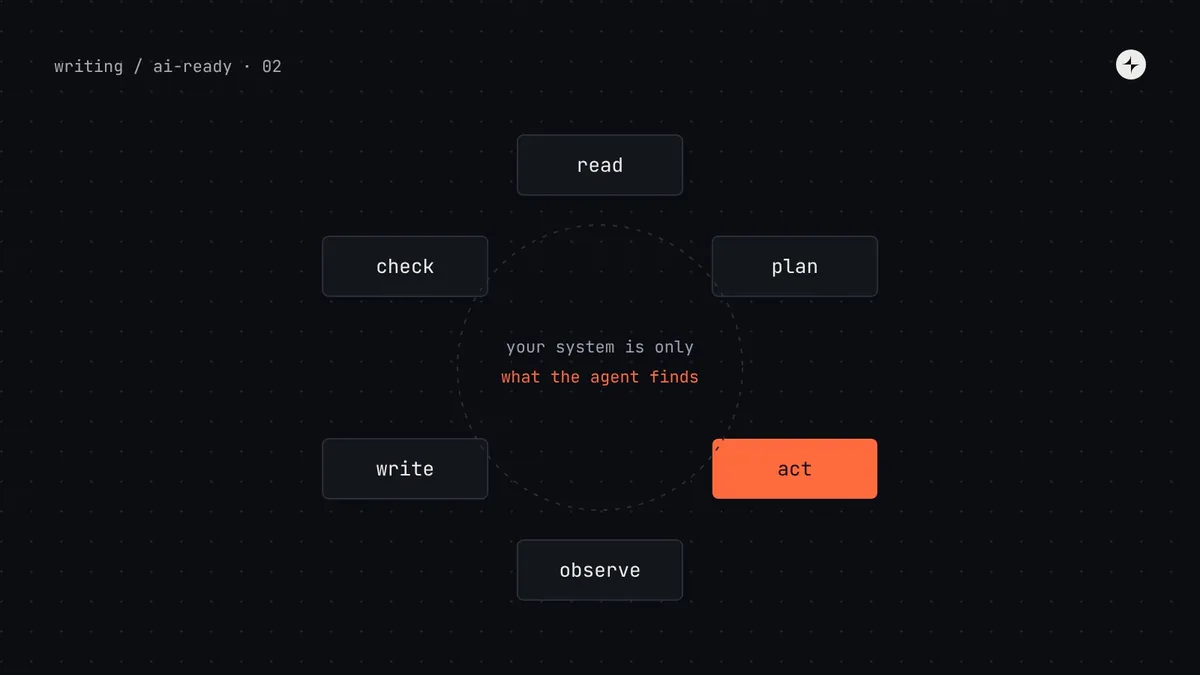
The short answer
A coding agent builds UI in a loop: it reads instructions (your prompt plus any rules files), searches the repository, opens the files that look relevant, writes code, and runs checks such as the type checker. It only knows your design system through what it finds during that loop. If it can't find something quickly and unambiguously, it falls back on what it learned in training, which means generic Tailwind classes, Material UI habits and invented props. To steer it, put the right information where the agent looks first: a rules file, typed component APIs, tools that answer design system questions, and checks that fail loudly.
- Agents trust whatever they find first. Deprecated code that's easy to find gets copied.
- Types and lint errors are the clearest feedback an agent gets. Use them.
- Part 2 of 20 in the series on AI-ready design systems.
The agent loop, in plain words
In part 1 we described an AI agent as a language model that can take actions in a loop. Here's what that loop looks like when you ask a coding agent to build a screen. Every agent product implements it differently, but the shape is the same in Claude Code, Cursor, GitHub Copilot's agent mode and OpenAI Codex.
Tool: an action the agent can ask for, described to the model by a name, a short description and the inputs it takes. "Read file", "search for text" and "run a terminal command" are built-in tools. Context: everything the model can see while it decides the next step. Each file it opens and each tool result is added to it, until the window fills up.
A real task, step by step
Let's follow one task through Harbor, the made-up design system from part 1. An engineer at Kestrel types this into a coding agent in the payroll web app's repository:
Add a "Pay run summary" card to the dashboard. It should show the
next pay date, total gross pay and number of employees, with a
"Review pay run" button. Use our design system.
Below is a simplified transcript of what the agent does in the repo as it was before any AI-readiness work. Tool names are generic; every product names them a little differently.
Nothing here is a model failure. The agent searched, read a real file, followed the code it found, and verified its work with the only check available. The design system failed it in three ways:
- Nothing told the agent which package was current.
@kestrel/harborand@kestrel/ui-oldboth exist, and the old one is used more often. - The legacy code was easy to find and looked legitimate. No
@deprecatedtag, no lint warning, no comment. - The checks didn't check the design system. Type checking passed because the legacy code is valid TypeScript. Nothing flagged the hard-coded colour.
Where an agent gets design system knowledge
An agent can learn about your system from six places. They differ a lot in how reliably the agent sees them and how much you control them. This ranking is the single most useful thing to understand when deciding where to invest.
| Source | When the agent sees it | Your control | Typical problem |
|---|---|---|---|
| Rules files (AGENTS.md, CLAUDE.md, Cursor rules) | Loaded automatically at the start of every task | Full | Too long, so key rules get lost; or missing entirely |
Type definitions (.d.ts, prop types) | When it opens a component or when the type checker runs | Full | Props typed as string instead of a list of allowed values |
| Tool results (MCP servers) | When the agent decides to call the tool | Full | Tool descriptions so vague the agent doesn't know when to call it |
| Existing code in the repo | When search happens to surface it | Partial | Old patterns outnumber new ones, so they get copied |
| Web docs | Only if the agent can browse and chooses to | Partial | Private docs can't be reached; public ones may be outdated |
| Training data | Always, as a fallback | None | Knows popular open-source libraries, not yours |
Existing code is the source agents rely on most and the one teams think about least. In a repo where 70% of buttons are the legacy one, an agent copying "the codebase's conventions" will choose the legacy one 70% of the time. Retiring or clearly marking legacy code is AI-readiness work.
The context window, and why less is more
Every file the agent opens takes up space in its context window. Modern models have large windows (hundreds of thousands of tokens, where a token is roughly three-quarters of a word), but bigger isn't the same as better. Research and practical experience both show models pay less attention to information buried in the middle of long contexts, and every irrelevant file is a chance to copy the wrong thing.
Dumping everything
Pasting your whole 300-page docs site, or a 6,000-line token file, into the prompt. The agent has to find the needle itself, and old pages compete with new ones.
- ~150,000 tokens used
- Contradictions are all visible at once
Just enough, on demand
A short rules file that says where things are, then tools the agent calls for exactly the component or token it needs.
- ~3,000 tokens used
- Only current information arrives
This principle, sometimes called progressive disclosure, shapes the rest of this series. Rules files (part 6) are the map. Component metadata (part 4), token files (part 3) and docs (part 5) are what the agent asks for. MCP servers (part 7) are a precise way to ask.
Six failure modes and what causes each
Once you know the loop, agent mistakes become predictable. Here are the ones we see most, with the step of the loop where each goes wrong.
| Failure | Example | Loop step | Root cause |
|---|---|---|---|
| Copying the nearest example | Legacy Card copied from TeamCard | 3 · Act | Search returns old code first; nothing marks it as old |
| Training-data fallback | className="bg-blue-600 rounded-lg" | 2 · Plan | Agent never found your tokens, so it used what it knows |
| Invented API | <Button variant="destructive"> when the value is danger | 5 · Write | Agent guessed the value; the prop was typed as string, so nothing caught it |
| Wrong variant | Primary button for "Delete account" | 5 · Write | The variant exists; the rule for when to use it isn't written anywhere the agent looked |
| Reinventing helpers | A new formatCurrency() beside the system's formatMoney() | 2 · Plan | Utilities aren't listed with the components |
| Silent success | "Done!" with off-system UI | 6 · Finish | No check failed, so the agent had no signal |
The same task, with an AI-ready Harbor
Now the same prompt, after Kestrel's team completed the work described in this series: an AGENTS.md in the repo, typed and described components, a small design system MCP server, and lint rules. Watch where each change shows up.
Notice that the agent's final message now explains why it chose the secondary variant. That happened because the usage rule was in the tool result. When the reasoning behind a decision is written down where agents can reach it, agents repeat it, and reviewers can check it.
Not all agents are coding agents
"AI agent" covers several kinds of tool, and each one reaches your design system differently. Know which ones your teams use, because the preparation differs.
| Kind | Examples | What it reads from your system | Prepare by |
|---|---|---|---|
| Coding agents | Claude Code, Cursor, Copilot, Codex | Repo files, rules files, types, MCP tools, terminal output | Rules files, types, MCP server, lint (parts 4, 6, 7, 9) |
| Design-to-code | Figma's MCP server used from a coding agent | Figma layers, variables, component names, Code Connect mappings | Variables, naming, Code Connect (part 8) |
| AI app builders | v0, Lovable, Bolt, Figma Make | Usually a component registry or uploaded package and a prompt | A registry or package with clear docs; check each tool's import options |
| Docs assistants | "Ask the design system" chatbots | Your docs through search and retrieval | Structured, chunkable docs (part 5) |
Try it: an "agent's-eye" audit in one hour
The fastest way to learn how agents use your system is to watch one. You don't need any setup beyond a coding agent and a product repo.
Pick three everyday tasks
Choose tasks your teams actually do: a form with validation, a data table with a filter, a confirmation dialog for a destructive action. Write each as a one-paragraph prompt ending with "use our design system".
Run each in a fresh session
Start a new conversation for each so earlier context doesn't leak in. Don't help the agent. You're watching how it finds things on its own.
Read the transcript, not just the code
Most agents show their tool calls. Write down every file it opened and every search it ran. Which design system files did it never find?
Ask it to explain its sources
Follow up with: "List every design system component, token and helper you used, and where you learned about each." Agents are usually honest about this, and the answers are revealing.
Score the output
Count: off-system components, hard-coded values, wrong variants, invented props. Keep the numbers. They're your baseline for part 9.
| Task | Off-system components | Hard-coded values | Wrong variants | Invented props | Found the system? |
|---|---|---|---|---|---|
| Settings form | 1 | 4 | 0 | 2 | Partly |
| Employees table | 2 | 7 | 1 | 0 | No |
| Delete dialog | 0 | 1 | 1 | 1 | Yes |
Common questions when teams start
"Can't we just tell it in the prompt?"
You can, and it helps for one task. But people forget, phrase it differently each time, and can't remember fifty components. Rules files and tools make the guidance automatic and consistent.
"Which model is best at design systems?"
Newer models follow instructions and use tools better, but no model can use information it never sees. The system-side work in this series pays off with every model.
"Should agents read our Storybook?"
Storybook stories are excellent examples. Storybook now offers an MCP addon that exposes a component manifest to agents (React first). We cover it in part 7.
"Why did it work yesterday and not today?"
Agents aren't deterministic: the same prompt can take a different search path. That's why one good run proves little, and why part 9 runs each task several times.
The short version
- Agents work in a loop: read, plan, act, observe, write, check. Your system only matters where it appears in that loop.
- Rules files, types and tool results are seen reliably; existing code and training data are where off-system habits come from.
- Give the agent a short map and a precise way to ask, not your entire docs site.
- Most failures trace to something findable: unmarked legacy code, undescribed tokens, unwritten usage rules, missing checks.
- Watch an agent do three real tasks before you change anything.
Next: Design tokens for AI agents, where we fix the most common failure of all: hard-coded values.
Frequently asked questions
How do AI coding agents find components in a design system?
They read rules files loaded at the start of a task, search the repository, open files that look relevant, and call any tools they've been given, such as an MCP server. If none of these surface your system clearly, they copy nearby code or fall back on popular libraries from their training data.
Why does an AI agent use deprecated components?
Usually because deprecated code is easy to find (it's used in many files) and nothing marks it as deprecated. Add @deprecated tags, a "never use" list in the rules file, and a lint rule blocking new imports.
Why does AI generate hard-coded colours instead of design tokens?
The agent didn't find your tokens, or found them without explanations and couldn't choose. It falls back on values it saw nearby or on Tailwind defaults it knows from training. Describe tokens, point to them in the rules file and add a lint rule for raw values.
Is a bigger context window enough to solve this?
No. Large contexts full of conflicting or outdated information make mistakes more likely. Short, current, specific information retrieved when needed works better.
Do AI agents remember our design system between sessions?
Generally not, unless the product has a memory feature. Assume every session starts from zero, which is why rules files and tools matter: they give the same starting knowledge every time.
Further reading
- Anthropic: Building effective agentsHow agent loops and tool use are put together.
- Anthropic: Effective context engineering for AI agentsWhy less, better-chosen context works.
- Lost in the Middle (Liu et al.)Research on how models use information in long contexts.
- Storybook: AIStorybook's MCP addon and component manifests.
- Design system migrationRetiring the legacy code agents keep copying.