
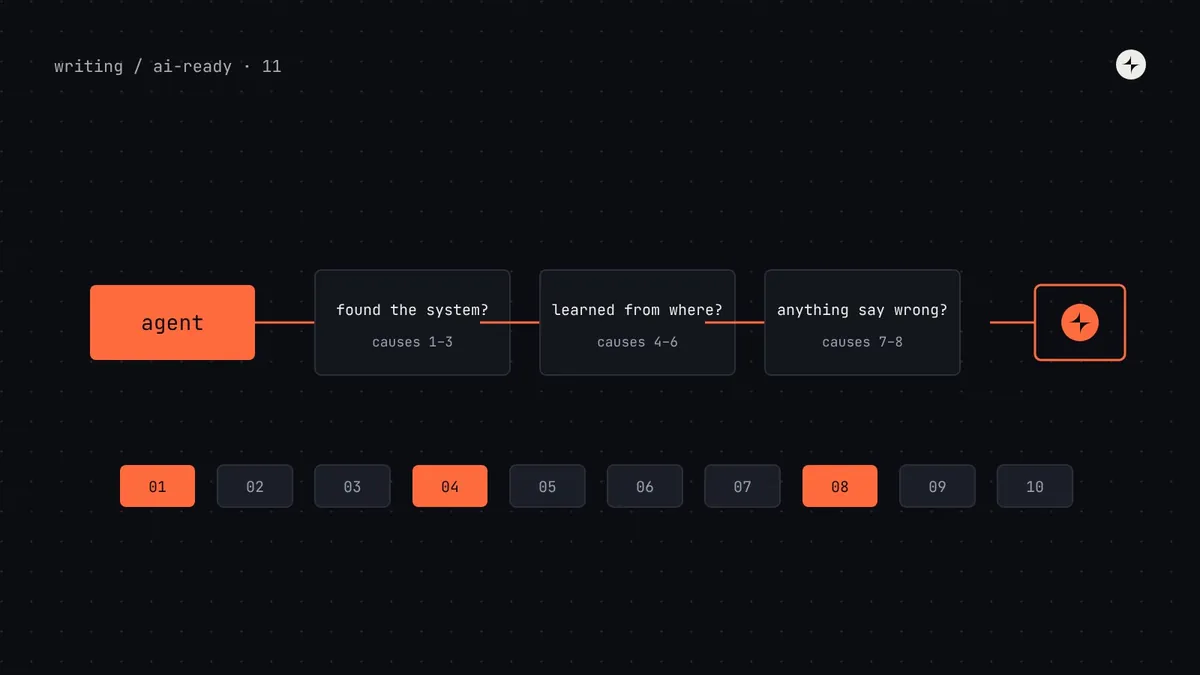
The short answer
AI tools "ignore" a design system for one of ten reasons, and almost none of them are about the model. The agent never found the system (no rules file, no tools), found the wrong version first (legacy code outnumbers new code), couldn't tell options apart (undescribed tokens, overlapping components), had nothing to follow (no usage rules or patterns), got no feedback (no lint, loose types), or was drowned in context. Diagnose before fixing: read the agent's transcript, ask it where it learned each choice, and match the symptom to the cause in the table below. Each fix takes between an hour and a few weeks.
- The fastest single fix is usually a short AGENTS.md with your package name and a "never use" list.
- If the agent's checks all pass on off-system code, the problem is the checks, not the agent.
- Part 11 of 20 in the series on AI-ready design systems. Parts 11–20 answer the questions teams ask most.
"It just doesn't use our components"
This is the complaint we hear more than any other. A designer prototypes in an AI tool and gets generic shadcn-style buttons. An engineer asks a coding agent for a settings page and gets bg-blue-600 everywhere. Someone pastes a Figma link and gets a pile of <div>s. The natural conclusion is that "AI doesn't work with design systems". The real story is more useful: an agent follows the path of least resistance through whatever information it can reach, and something on that path is pointing it away from your system.
Part 2 explained the agent loop: read instructions, search, open files, write, check. This article turns that into a troubleshooting guide. It follows Harbor, the made-up design system at a made-up payroll company, Kestrel, that we've used throughout the series.
First, diagnose: three questions in ten minutes
Don't start fixing until you know which of the ten causes you're dealing with. You can usually tell in ten minutes.
What did it read?
Open the agent's transcript or activity log. List every file it opened and every tool it called. Did any of them belong to the design system? If not, the problem is discovery (causes 1–3).
Where did each choice come from?
Ask in the same session: "For each component, token and helper you used, tell me where you learned about it." Answers like "I followed TeamCard.tsx" or "I used standard Tailwind colours" point to wrong sources (causes 4–6).
Did anything tell it it was wrong?
Run your lint and type check on its output. If they pass while the UI is clearly off-system, the problem is missing feedback (causes 7–8).
The ten causes at a glance
| # | Cause | Typical symptom | Fix | Effort |
|---|---|---|---|---|
| 1 | No instructions at the start | Output depends on who wrote the prompt | AGENTS.md section in every repo | 1 hour |
| 2 | System not reachable | Agent never opens anything from your package | Point to manifests; add MCP tools | 1 day |
| 3 | Tool doesn't support your stack | Prototyping tool swaps in shadcn or generic components | Use the tool's design system import, or a supported package | 1–5 days |
| 4 | Legacy code outnumbers new | Copies old components from nearby files | Deprecations, nested rules, lint, codemods | Weeks |
| 5 | Options can't be told apart | Picks the wrong blue or the wrong dialog | Token descriptions; sharper component purposes | Days |
| 6 | Training data wins | Tailwind defaults, Material habits, invented props | Semantic-only theme; precise types | Days |
| 7 | No usage rules or patterns | Right parts, wrong combination or variant | Metadata rules; pattern pages | Weeks |
| 8 | No feedback | "Done!" with off-system UI | Lint with fix-it messages; one check command | 1–2 days |
| 9 | Too much context | Inconsistent results; ignores rules that exist | Shorter rules; fewer tools; progressive disclosure | Days |
| 10 | Figma file doesn't identify the system | Design-to-code makes divs and hex values | Variables, attached instances, Code Connect | Weeks |
Discovery problems
Cause 1: nothing tells the agent your system exists
Every agent session starts from zero. If nobody types "use Harbor" and no file says so, the agent has no reason to look. Fix: add a design system section to each product repo's AGENTS.md (or CLAUDE.md, or the tool's own rules file) naming the package, the "never use" list and the check command. The full template is in part 6. In AI prototyping tools, the equivalent is the tool's "guidelines" or "knowledge" feature (part 15).
Cause 2: the agent knows about the system but can't reach it
The rules file says "use Harbor", but the component list is a 4,000-line source folder, the docs are behind a login, and the tokens are in a SCSS file with no comments. The agent gives up and guesses. Fix: give it compact, reachable data: a component index and token manifest in the installed package (part 4, part 3), and ideally an MCP server that answers questions directly (part 7).
Cause 3: the tool can't use your stack
Some AI tools only work with certain frameworks or package formats. Figma Make's design system kits, for instance, currently support React packages; many app builders are built around React, Tailwind and shadcn/ui. If your system is Angular, Vue or web components, a tool may quietly substitute its defaults. Fix: check each tool's supported formats before blaming the output. Where your stack isn't supported, give the tool your tokens and written guidelines at minimum, so the look is right even if the components aren't.
Wrong-source problems
Cause 4: legacy code is easier to find than the system
This is the most common cause in established products. If 60% of files import the old button, an agent searching for examples will find the old button first and copy it, because that's what "following the codebase's conventions" means.
An illustration: the copied card
Kestrel's agents keep producing LegacyCard even after AGENTS.md says to use Harbor.
The transcript shows the agent searched for "Card", opened three feature files, and all three used LegacyCard. Code it read beat the rule it was told.
A nested AGENTS.md in src/legacy/ ("being removed; don't copy"), a lint error on new imports with the replacement named, and a codemod for the 40 most-copied files.
Fix: mark old code as old where the agent will see it (deprecation tags, nested rules files), make new imports of it fail lint, and migrate the most-copied files first. See part 10.
Cause 5: the agent can't tell your options apart
Six pale blues with no descriptions, or Modal, Dialog and Sheet with purposes that overlap. The agent picks one, often the wrong one. Fix: a $description on every semantic token ("Use for… Not for… Use instead…") and component purposes that don't overlap, each with "avoid when" pointing to the alternative. If you can't write purposes that don't overlap, merge the components.
Cause 6: training data wins
Models have seen millions of files using Tailwind's default palette and popular component libraries. When your system is unclear or absent, those habits fill the gap: rounded-lg shadow-md bg-white, <Button variant="destructive">, size="large". Fix: make the defaults impossible or loudly wrong. Remove Tailwind's default palette from your theme so only semantic classes exist; type every option prop as a union so invented values fail to compile. Details in parts 3 and 4.
Missing-guidance and feedback problems
Cause 7: the parts are there, the rules aren't
The agent uses Harbor's real components but builds a settings page with three primary buttons, a table where a list would do, and an empty state with an illustration for a search that found nothing. Each part is correct; the combination isn't. Fix: write usage rules into component metadata ("one primary per view") and write pattern pages for the screens you build often (forms, tables, empty states, settings). Agents retrieve them when the docs are structured for retrieval (part 5).
Cause 8: nothing says "wrong"
If lint and type checks pass on off-system code, the agent reports success, and so would a person. This is the cause that hides all the others. Fix: lint rules for deprecated imports, raw colours and Tailwind defaults, each with a message naming the replacement; one check command; and a line in AGENTS.md telling the agent to run it. Agents read error messages and fix their own work (part 9).
Context and tool problems
Cause 9: too much information
The opposite of cause 2. A 1,500-line rules file, twelve MCP servers, and a prompt with the whole docs site pasted in. The rules you care about are buried and the agent applies them inconsistently. Fix: a short rules file that links out, a handful of task-shaped tools, and details loaded only when needed. Part 12 covers this in depth.
Cause 10: the Figma file doesn't say which system it uses
Design-to-code tools convert what the file says. Detached instances, raw hex fills and frames named "Frame 4182" carry no link to your components or tokens. Fix: variables named like your tokens, attached library instances, auto layout, and Code Connect for your most-used components (part 8). If variables and tokens have drifted apart, start with part 14.
A one-week rescue plan
If agents are ignoring your system today and you need visible improvement quickly, this order gives the most improvement per hour:
| Day | Do | Fixes causes |
|---|---|---|
| 1 | Run three real tasks with an agent; save transcripts; score the output | Diagnosis |
| 1 | Add the AGENTS.md section to the busiest product repo | 1, 4 (partly) |
| 2 | Add no-restricted-imports for legacy packages and a raw-colour rule, as errors on changed files | 4, 8 |
| 3 | Write descriptions for the 30 most-used semantic tokens; remove Tailwind's default palette | 5, 6 |
| 4 | Write purpose and "avoid when" for the 10 most-used components; fix overlapping ones | 5, 7 |
| 5 | Rerun the three tasks; compare scores; decide what's next | Measure |
Common mistakes when troubleshooting
Switching models first
A newer model may follow instructions better, but it can't use information it never sees. Fix the system, then compare models on the same tasks.
Longer and longer prompts
Each failure adds a sentence to everyone's prompt. Move the rule into a file or a lint rule so it applies automatically.
Judging from one run
Agents vary between runs. Run each test task several times before deciding something worked.
Fixing the code, not the cause
Correcting the agent's output by hand fixes one screen. Correcting the description, rule or lint message fixes every future screen.
The short version
- AI "ignores" design systems because of discovery, wrong sources, missing rules, missing feedback, context overload or unprepared Figma files.
- Diagnose with three questions: what did it read, where did each choice come from, did anything say it was wrong?
- The quickest wins: an AGENTS.md section, lint with fix-it messages, token descriptions and a semantic-only theme.
- Legacy code that outnumbers new code is the most common cause in older products.
- Fix the source of each mistake, not just the output.
Next: How much design system context does an AI agent need?
Frequently asked questions
Why does AI ignore my design system?
Usually because it never found the system, found legacy code first, couldn't tell similar tokens or components apart, had no usage rules to follow, or received no error when it went off-system. The model is rarely the cause.
Why does Cursor or Claude Code not use my components?
Check the transcript. If it never opened your package, add a rules file (AGENTS.md or CLAUDE.md) naming the package and how to look components up. If it copied old components from nearby files, mark them deprecated and add a lint rule blocking new imports.
How do I stop AI using Tailwind default colours?
Remove the default palette from your Tailwind theme so only semantic colour names exist, and add a lint rule that flags default palette classes with a message naming the semantic alternative.
Will a better AI model fix this?
Partly at best. Better models follow instructions more reliably, but every model depends on the information and feedback it receives. System-side fixes help with every model.
What's the fastest way to get AI to use my design system?
Add a short AGENTS.md section with your package name, a never-use list and a check command, then add lint rules for deprecated imports and raw values. Most teams see a clear improvement within a day or two.
Further reading
- How AI coding agents use your design systemThe agent loop behind every cause in this article.
- Guardrails for AI-generated UILint, tests and evals in detail.
- AGENTS.mdThe open format for agent instructions.
- Tailwind CSS: theme variablesResetting default namespaces in v4.