
The short answer
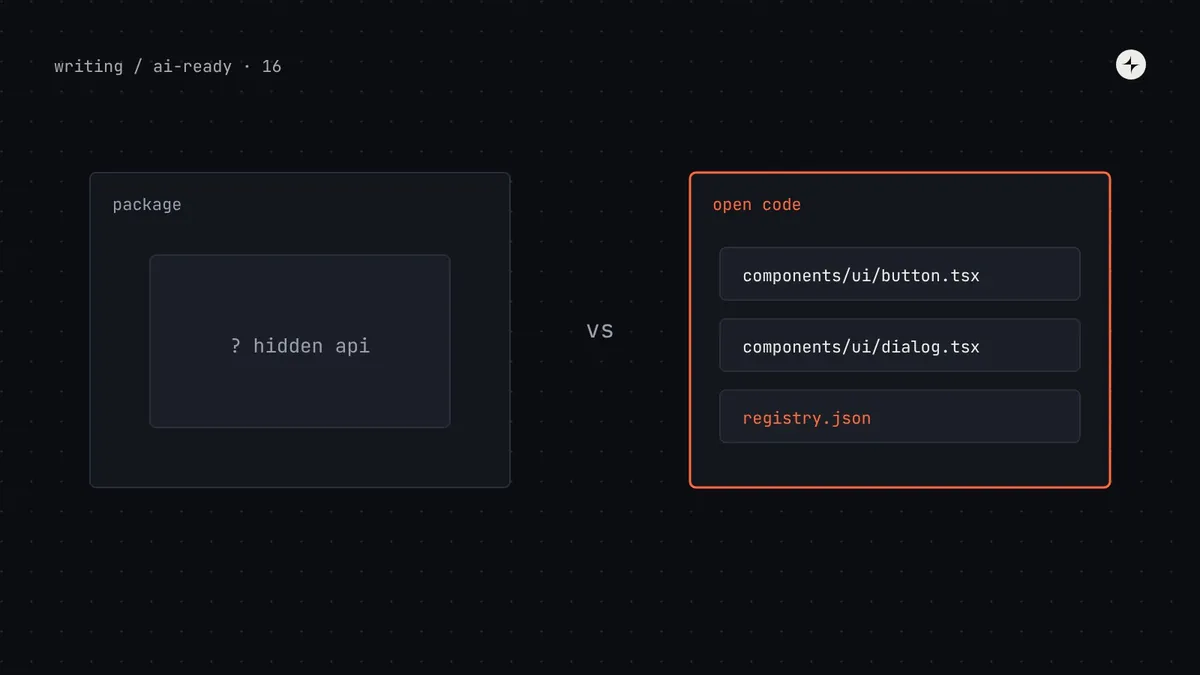
shadcn/ui works well with AI for three reasons that have nothing to do with how it looks: the component source code lives in your project, so agents can read and edit it instead of guessing a hidden API; it's built on a stack models have seen constantly (React, Tailwind, Radix-style headless primitives); and its registry format and MCP server let tools discover and install components. That doesn't mean you should rebuild your design system on it. If you already have a mature system, you can get most of the same benefits by publishing it as a registry, shipping types and source maps, and serving metadata to agents. Choose shadcn/ui as a foundation when you're starting fresh with React and Tailwind; keep your system when it already works and make it readable.
- "Open code" helps agents, but it also means each product can drift from the original. Plan for updates.
- The registry format is useful even if you never use shadcn/ui's components.
- Part 16 of 20 in the series on AI-ready design systems.
Why teams are asking this
Ask an AI tool for a React interface without further instructions and there's a good chance you'll get shadcn/ui-style components. Many AI app builders are built around it. So design system teams reasonably wonder: should we switch? Would agents work better if our system was shadcn/ui?
The honest answer is "it depends on where you're starting". To decide well, separate the parts of shadcn/ui that help agents from the parts that are simply popular.
shadcn/ui: a collection of React components you copy into your project with a command-line tool, rather than install as a package. You own and edit the code. Headless primitives: components that provide behaviour and accessibility without styling (Radix UI, React Aria, Base UI). Registry: a published list of components in a JSON format, with their source files and dependencies, that tools can install from.
What actually makes it work well with AI
| Property | Why it helps agents | Can your system have it too? |
|---|---|---|
| Source in the project | The agent can open components/ui/button.tsx and read exactly what variants exist, instead of guessing from a compiled package | Partly: ship readable types, JSDoc and source maps; or distribute via a registry |
| Familiar stack | React, Tailwind and headless primitives appear in a huge amount of public code, so models write them fluently | Only if you use that stack; otherwise compensate with clear metadata and examples |
| Simple, consistent APIs | Few props, consistent naming (variant, size), composition over configuration | Yes: see props best practices |
| Registry format | Components are listed with descriptions and dependencies; tools can install them | Yes: publish your own registry |
| MCP server | Agents can search and install from configured registries | Yes: shadcn's MCP server works with any compatible registry; or build your own (part 7) |
| Docs for machines | Markdown docs and llms.txt | Yes: see part 6 |
Practitioner view Much of what's written about "why AI loves shadcn/ui" is anecdotal or comes from vendors building on it. The mechanism is plausible and matches our experience (readable source and familiar patterns beat hidden APIs), but it isn't magic: an agent with shadcn/ui and no rules still invents colours and misuses variants.
The trade-off nobody mentions: open code drifts
Because shadcn/ui components are copied into each project, each project owns its copy. That's what makes them easy for agents to edit, and it's also a design system risk.
Installed from npm
- One version, updated by bumping a dependency
- Agents can't change the component, only use it
- API is hidden unless types and docs are good
Copied into the project
- Agents can read every line, and edit it
- An agent asked for "a loading state" may edit
button.tsxfor one screen, changing it for every screen - Updates need a merge, per project
An illustration: the edited button
"Make the export button show a spinner while the CSV is generating."
The agent edited components/ui/button.tsx to add a loading prop with its own spinner and colours. It worked, and quietly changed the shared component in a way the system team never reviewed.
A rule in AGENTS.md: "Never edit files in components/ui/. If a component is missing something, say so." Plus CODEOWNERS on that folder so changes need system team review.
Decision guide: switch, adopt, or stay
| Your situation | Recommendation | Why |
|---|---|---|
| New product, React + Tailwind, no system yet | Start from shadcn/ui, themed with your tokens | Good behaviour and accessibility from headless primitives, agent-friendly from day one |
| Small system, React + Tailwind, a few components | Consider migrating component by component | Low cost; you gain the ecosystem and keep your tokens |
| Mature React system, used by many products | Stay; publish a registry and metadata | Rebuilding costs months and risks regressions; you can get the agent benefits without it |
| Non-React system (Angular, Vue, web components) | Stay; make metadata and docs excellent | Switching frameworks for AI tools is rarely justified; see part 15 for prototyping options |
| Multi-brand or white-label system | Stay, or use shadcn/ui as an internal base | Your token architecture is the hard part; components can sit on any base |
Step by step: publish your own system as a registry
This gives AI tools a familiar way to discover and install your components, whether or not they're built on shadcn/ui. It's useful for v0 (part 15), for shadcn's MCP server, and for teams that prefer open code.
Describe each item in
registry.jsonOne entry per component, theme or utility: name, type, title, description, dependencies, and the files to copy. Generate the descriptions from your component metadata.
Build the registry
The shadcn CLI turns
registry.jsoninto one JSON file per item, ready to host.Host it
Any static host works. Put private registries behind authentication.
Let projects install from it
Projects add your registry under a namespace in
components.json, then install items by name, by hand or through an agent.
// registry.json (one item shown)
{
  "$schema": "https://ui.shadcn.com/schema/registry.json",
  "name": "harbor",
  "homepage": "https://harbor.kestrel.example",
  "items": [{
    "name": "confirm-dialog",
    "type": "registry:component",
    "title": "ConfirmDialog",
    "description": "Asks the user to confirm an action, especially one that deletes data. Use tone=danger for destructive actions.",
    "registryDependencies": ["@harbor/button", "@harbor/dialog"],
    "files": [{ "path": "registry/harbor/confirm-dialog.tsx", "type": "registry:component" }]
  }]
}
npx shadcn@latest build # writes public/r/confirm-dialog.json and the rest// components.json in a product repo: register the namespace
{
"registries": {
"@harbor": "https://harbor.kestrel.example/r/{name}.json"
}
}npx shadcn@latest add @harbor/confirm-dialog
npx shadcn@latest mcp init --client claude # lets an agent search and install from configured registriesCheck the shadcn documentation for the current CLI options and authentication for private registries.
If you do build on shadcn/ui: keep it a system
shadcn/ui gives you components, not a design system. The decisions, rules and governance are still yours to add, and they matter more when agents can edit component code.
- Theme with your tokens. Map shadcn/ui's CSS variables (
--primary,--muted…) to your semantic tokens, generated from your DTCG source (part 3). - Keep a canonical copy. Your own registry holds the reviewed versions; product repos install from it, not from the public defaults.
- Protect the folder. A "never edit components/ui" rule for agents, CODEOWNERS for people, and a drift check that compares product copies with the registry.
- Add your metadata. Usage rules, when-not-to-use and patterns are what turn a component set into a system agents can follow (part 4).
- Remove what you don't use. An agent will happily use a
HoverCardbecause it exists. Only install components the system supports.
Common mistakes
Rebuilding a working system for AI
Months of migration for a benefit you could get with a registry, types and metadata. Make what you have readable first.
Default theme in production
Unthemed shadcn/ui looks like every other AI-generated app. Map its variables to your tokens before anything ships.
Letting agents edit shared components
Open code invites edits. Make the shared folder off-limits for agents and reviewed for people.
No update path
Copied components don't update themselves. Decide how fixes reach product copies before you have twenty of them.
The short version
- shadcn/ui suits AI because source is in the project, the stack is familiar, and it has a registry format and MCP server.
- Most of those benefits are portable: publish your own registry, ship readable types, serve metadata.
- Start from shadcn/ui for new React + Tailwind products; keep a mature system and make it readable.
- Open code drifts: protect shared components from agent edits and keep a canonical registry.
- Components aren't a system: tokens, rules and governance still decide whether agents get it right.
Next: Can designers make a design system AI-ready without coding?
Frequently asked questions
Why do AI tools use shadcn/ui so often?
Its components are copied into your project as readable source, it's built on React, Tailwind and headless primitives that appear widely in public code, and it has a registry format and MCP server that tools can install from. Many AI app builders are built around it.
Should I rebuild my design system on shadcn/ui for AI?
Usually not if you have a mature system. You can get most of the benefits by publishing a registry, shipping clear types and serving metadata. For a new React and Tailwind product without a system, starting from shadcn/ui is a reasonable choice.
What is a shadcn registry?
A JSON format that lists components, themes and utilities with their source files and dependencies. The shadcn CLI builds and installs from registries, and tools such as v0 and shadcn's MCP server can use them.
Can I use the shadcn MCP server with my own components?
Yes. It works with any shadcn-compatible registry configured in your project's components.json, so agents can search and install your components.
Is shadcn/ui a design system?
Not by itself. It's a set of components. A design system adds tokens, usage rules, patterns, documentation and governance, which is what makes AI output consistent.
Further reading
- shadcn/ui documentationThe open code approach and theming.
- shadcn/ui: registryBuilding and hosting your own registry.
- shadcn MCP serverLetting agents search and install from registries.
- Build, borrow or buyHeadless libraries versus building your own.