
The short answer
Write design system release notes for the people who use the system, not the people who built the change. Every note answers three questions: what changed, why, and do I need to do anything? Put breaking changes first, label items New, Improved, Fixed and Breaking, add before-and-after images for anything visual, and link to the full record on your documentation site. Use separate templates for releases, breaking changes, deprecations, token updates and a monthly digest.
- Chat is for attention; the documentation site is for record.
- Announce breaking changes at least one release cycle ahead, ideally four to eight weeks.
- Bundle small changes into the regular release post. Announcing everything trains people to mute you.
Why release notes matter
Release notes are a design system's most-read documentation. They're how most product teams find out what changed, whether it affects them, and what they need to do. Badly written ones are worse than none: they get skimmed, the one breaking change in them gets missed, and teams learn that the system "breaks things without warning".
An illustration: the rename nobody saw
The system team renames a prop in a major release. It's mentioned in the release notes, posted once in a busy channel on a Friday evening.
Seven teams upgrade the following week and their builds break. Each team thinks it's alone; the support channel floods.
A breaking-change notice four weeks ahead, direct messages to affected teams, a codemod, reminders, and extra office hours. Same change, no surprise.
Write for the reader, not the change
Refactored Button padding tokens
Accurate, and useless to anyone deciding whether to upgrade.
"Buttons are now 4px taller. If you've placed buttons inside table rows, check they still fit."
Says what changed, what it affects and what to check.
- Lead with what people will see or need to do, not with the implementation.
- Put breaking changes first, then new things, then improvements, then fixes.
- Add before-and-after images for anything visual.
- Link every item to its documentation, migration guide or pull request.
- Thank contributors by name. Recognition builds contribution.
Channels: chat for attention, docs for record
| Channel | Purpose | Rules |
|---|---|---|
| #ds-announcements | Releases, breaking changes, deprecations, roadmap updates | Only the system team posts; questions go to threads or #ds-help |
| #ds-help | Questions and support | Anyone posts; answered within a working day |
| Monthly email digest | A summary for people who don't live in chat, especially leaders | One email a month, short |
| Docs site: Updates | The permanent record of every change | Every announcement links here |
When to announce what
| What | When |
|---|---|
| Minor and patch releases | On the regular release day, early in the week, never late on a Friday |
| Breaking change: first notice | At least one release cycle ahead, ideally 4–8 weeks, with the migration guide ready |
| Breaking change: reminders | One week before, and on release day |
| Deprecation | When marked deprecated; again at the halfway point; one week before removal |
| Monthly digest | First week of each month |
| Critical fixes | Immediately |
Five templates you can copy
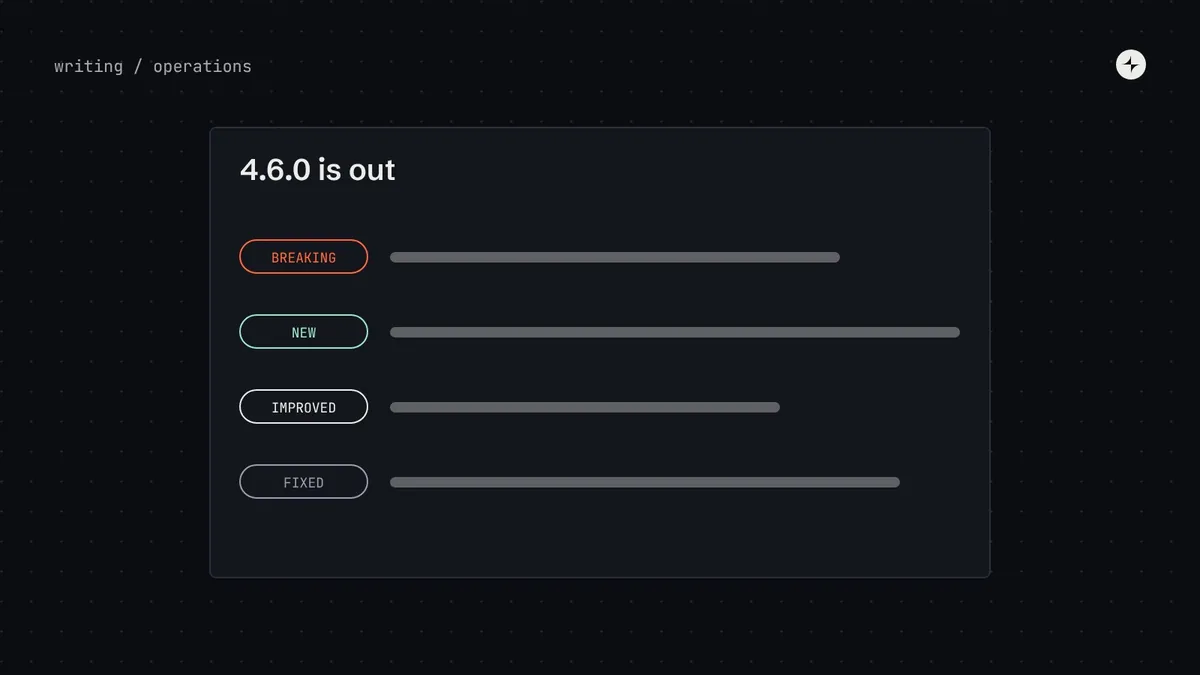
Templates make announcements faster to write and easier to read, because readers learn where to look. Here are ours, filled in with examples. Illustration
1. Release announcement
Design system 4.6.0 is out · 14 October · Full notes →
New. Tag component, with status colours and an optional remove button. Figma and code.
Improved. Select now supports grouped options. Date picker can show week numbers.
Fixed. Dialog returns focus to the button that opened it. Toast no longer overlaps the side menu on small screens.
Do I need to do anything? No. Safe to update. Thanks to Arjun (Payments) and Meera (Reports) for their contributions.
2. Breaking change notice
BREAKING in 5.0 (planned 18 November): Button "kind" is renamed to "variant"
What's changing. The kind prop will be removed. Use variant, which works the same way and is available now in 4.6.
Why. Every other component uses variant. One name across the library is easier to learn.
Who's affected. Around 600 uses in 7 products. Champions in those teams have the list.
What to do. Run the codemod (one command, about 2 minutes), or change kind= to variant=. Migration guide →
Help. Extra office hours on 4 and 11 November. Questions in #ds-help.
3. Deprecation notice
Deprecated: Modal. Use Dialog instead. Removal in 6.0 (planned March)
What this means. Modal still works and gets critical fixes until March. Please don't use it in new work.
How to switch. Most uses can be switched automatically with the codemod. Guide with before-and-after examples →
Progress. 142 uses remaining across 5 products. Live count on the docs site →
4. Token update
Token update in 4.7: secondary text is slightly darker
What's changing. color.text.secondary now points to neutral 700 instead of neutral 600, raising contrast from 4.25:1 (below the 4.5:1 minimum) to 5.99:1 on the default background.
What you'll see. Captions, helper text and timestamps look slightly darker everywhere. Before and after →
Do I need to do anything? No code changes. If you've hard-coded the old grey anywhere, the lint rule will now flag it.
5. Monthly digest
Design system: October in 60 seconds
Shipped. Tag component; grouped Select; 9 fixes. Two contributions from product teams.
Coming up. 5.0 on 18 November (one breaking change, codemod ready).
Adoption. 68% of UI built with the system, up 4 points this quarter.
Help. Office hours every Tuesday, 11:00 and 17:00.
Automate the boring part
Generating a draft of the release notes from merged changes saves hours each release. Label pull requests (new, fix, breaking), let a script or an AI assistant group them into a draft, then have a person rewrite each line for the reader and decide what's breaking. Never publish the draft unedited; the judgement is the valuable part. See AI in design systems.
Common mistakes
Announcing too much
Posting every small change creates noise, people mute the channel, then miss the one breaking change. Bundle small changes into the release post.
Notes in one place only
A message in chat scrolls away. Every announcement links to a permanent page on the docs site.
No "do I need to do anything?"
The question every reader is asking. Answer it explicitly, even when the answer is "no".
Friday releases
Release early in the week, so the team is around to help when things go wrong.
The short version
- Write for users: what changed, why, and what to do.
- Breaking first; clear labels; before-and-after images; links to the record.
- Chat for attention, docs for record, a monthly digest for leaders.
- Announce breaking changes 4–8 weeks ahead, with reminders.
- Automate the draft; keep a human for the judgement.
Frequently asked questions
How often should a design system release?
Every two weeks is a common rhythm for minor and patch releases. Bundle breaking changes into a few major releases a year.
Should design and code releases be announced together?
Yes, ideally with the same version number, so "4.6" means the same thing in Figma and in code.
Who should write release notes?
The engineer on the release rota drafts them; a system designer or lead edits for clarity and decides what counts as breaking.
Where should release notes live?
On an Updates page in your documentation site, newest first, with each chat announcement linking to it.
Further reading
- Versioning Design SystemsNathan Curtis, EightShapes.
- Design system versioningWhat counts as breaking, and deprecation.
- Design system documentationWhere the permanent record lives.