
The short answer
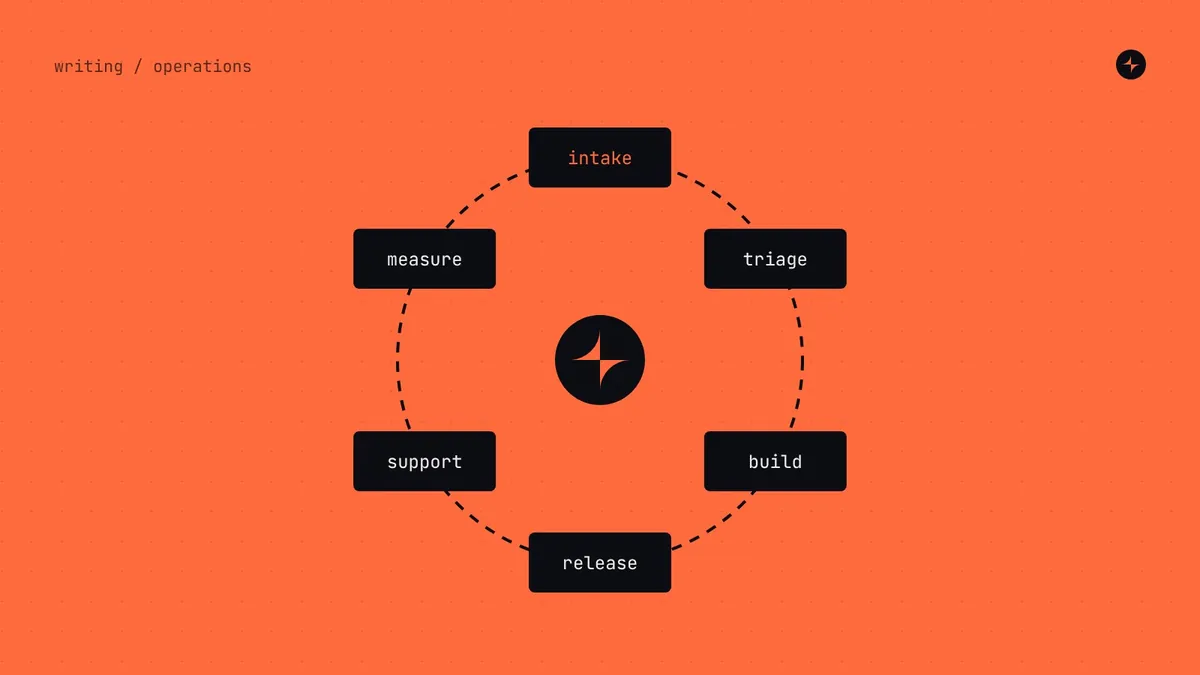
A design system operating model is how the system is run inside a company: who owns it, who works on it, how decisions are made, how work flows in and out, and how often everyone meets. It has six parts: team, intake (requests and contributions), decisions (governance), delivery (releases and communication), enablement (docs, office hours, training, community) and measurement. The right model depends on company size and has to change as you grow. Use the lightest model that keeps the system trusted and moving.
- In our experience the operating model, not the quality of the components, decides whether a system thrives or fades.
- Every meeting, approval and form should solve a problem you actually have.
- A meeting without an output is the first thing to cut.
Why launch isn't the finish line
Most design systems are planned as projects: build foundations, build components, write docs, launch. Then the people who built it go back to product work, requests pile up unanswered, teams start building local copies, and within a year the system is something people work around.
Nathan Curtis put it in one line in 2015: a design system isn't a project, it's a product serving products. Products need owners, roadmaps, support, releases and a way to hear from their users. That's the operating model.
An illustration: the startup that copied a tech giant
A 60-person startup reads about how a famous tech company runs its design system: a dedicated team, a governance council, a formal request process, quarterly planning.
They copy it. Two designers spend half their week in process meetings. A button change needs council approval. Teams wait weeks for simple things and start building their own.
One owner with protected time, a shared channel, a fortnightly half-hour review, and "build it locally" for anything only one team needs. Process grows when the company does.
The six parts of an operating model
How work comes in
One front door for requests, triage, scoring and contribution. Contribution model →
Who decides what
Decision rights, processes by impact, escalation, quality gates. Governance →
How change goes out
Versioning, a release rhythm, release notes, deprecations and channels.
How people succeed
Documentation, office hours, onboarding, workshops and community. Docs →
Whether it's working
Adoption, request flow, quality and satisfaction, reviewed monthly. Metrics →
The four basic models
How the team is set up shapes everything else. Nathan Curtis described the options in 2015, and they still hold:
| Model | How it works | Strengths | Weaknesses | Breaks when… |
|---|---|---|---|---|
| Embedded | Product people look after it part-time | Cheap; close to product needs | Product deadlines always win; slow | More than ~3 squads depend on it |
| Centralised | A dedicated team builds and runs it | Focus, quality, accountability | Can drift from product reality; becomes a queue | Requests outpace the team |
| Federated only | Every team contributes; nobody owns it | Shared ownership | Nobody's real job; decisions stall | Almost immediately |
| Hybrid | A core team owns direction; teams contribute | Scales; balances quality and speed | Needs real investment in contribution | Contribution time isn't protected |
Most mature organisations end up hybrid. The question is how to get there from wherever you are, without adding structure faster than you need it.
Operating model by company size
Here's what we'd recommend at five sizes. Practitioner view Team sizes are broadly consistent with zeroheight's 2025 survey.
| Startup | Scale-up | Mid-sized, distributed | Many business units | Global enterprise | |
|---|---|---|---|---|---|
| Typical shape | 10–50 people, 1–3 designers | 50–300 people, 3–8 squads | 300–2,000, several offices | 20–60 squads, several BUs | Thousands; many portfolios |
| Model | Embedded | Small central, starting hybrid | Hybrid, written-first | Hybrid with extensions | Family of systems |
| Dedicated people | 0 (owners ~20%) | 1–3 | 4–8 | 8–14 | 15–25 |
| Decisions | In conversation | System lead, written down | Written proposals, async comments | Lead plus a decision forum | Council for cross-portfolio decisions |
| Requests | Ask in the channel | Simple form, weekly triage | Form, triage, public roadmap | Tiered intake per BU | Portfolio intake plus central review |
| Rhythm | Fortnightly 30-minute review | Weekly office hours and triage; fortnightly releases | Rituals repeated across time zones | Quarterly BU planning; monthly community | Release trains; quarterly portfolio roadmaps |
| Docs | One page | Docs site | Full portal | Portal plus extension docs | Portal for the whole family |
Startup: a habit, not a process
Everyone can talk to everyone, so the operating model is mostly a habit: before building new UI, check whether it exists; if you build something reusable, put it in the shared place. Two owners with about a day a week each. The one thing to get right is naming the basic values as tokens from day one.
Scale-up: where systems are formally born
The usual mistake here is hiring a single "design system designer" and expecting them to deliver a system alone. The minimum effective team is a designer and an engineer working as a pair, with a champion in each squad. Decisions, requests and announcements each need writing down, on one page each.
Mid-sized and distributed: written first
A meeting that suits Bangalore is the middle of the night in Toronto. So proposals become documents, decisions are recorded with reasons, office hours run twice or are recorded, and the documentation portal becomes the real meeting place. Regional champions matter more here than anywhere.
Many business units: a core with extensions
Business units launch products faster than any central team can support. The model that works is a strong core with sanctioned extensions owned by each unit. The core team's job shifts from building everything to enabling, reviewing and absorbing what proves widely useful.
Enterprise: automate so people can focus
The system team becomes a platform organisation. Much of the work is enablement and governance across hundreds of people and vendors. The best enterprise systems automate checks, release notes and usage tracking so human governance can focus on the few decisions that need it. At JPMorgan Chase, design system checks support 500+ designers and 1,000+ engineers. See the project.
A week in the life
A healthy design system has a heartbeat: a small set of recurring activities everyone can rely on. Here's a typical week for a scale-up or mid-sized team.
Team stand-up, 15 min
Request triage, 45 min
Office hours, 60 min, open to all
Pairing with product teams
Focus time, no meetings
Component workshop, as needed
Team stand-up, 15 min
Office hours, second time zone
Focus time, no meetings
Release and demo, fortnightly
On top of the week sit the slower rhythms. Each one has an owner and, most importantly, an output:
| Activity | How often | Owner | Expected output |
|---|---|---|---|
| Support channel | Daily | Lead (rota answers) | Questions answered within a working day |
| Office hours | Weekly | Lead | Problems solved; requests and research notes logged |
| Request triage | Weekly | Lead | Every new request categorised and answered |
| Contribution review | Weekly | Engineering lead | Contributions merged or answered |
| Release and demo | Fortnightly | Engineer on rota | New version; notes published; short recorded demo |
| Health check | Monthly | Lead | Metrics reviewed; actions agreed |
| Community session | Monthly | DesignOps or lead | Shared learning; contributors recognised |
| Planning with product teams | Quarterly | Lead | Next quarter's roadmap agreed and published |
| Architecture and debt review | Quarterly | Engineering lead | Debt priorities and dependency risks addressed |
| Satisfaction survey | Twice a year | Lead | Satisfaction trend; top pain points |
Startups need perhaps three of these. Add the rest as the problems they solve appear.
Office hours that people actually use
Office hours are the single most effective routine a system team can run: cheap, relationship-building, and free research every week. Many teams set them up, see three people arrive, and quietly stop. The difference is in the details:
- Weekly, same time, 60 minutes. Predictability matters more than length.
- Two hosts, a system designer and a system engineer, so design and code questions both get answered on the spot.
- People bring the real file or the real code, not a description of it.
- Every gap becomes a logged request; every repeated question becomes documentation.
- A two-line summary in the channel after every session.
An illustration: from three visitors to a waiting list
Office hours average three visitors. The team considers cancelling them.
They move the slot from Friday afternoon to Tuesday morning, add an engineer host, ask champions to bring one real problem each, and post a summary after every session.
Within two months sessions are full, the summaries are the channel's most-read posts, and half of next quarter's roadmap came from office hours.
Releases and communication
The most common communication mistake is one channel for everything, so important news scrolls away in minutes. Separate channels by purpose, and follow one rule: chat is for attention, the portal is for record. Every announcement links to the full details on the documentation site.
Releases, breaking changes, deprecations, roadmap. Only the system team posts.
Questions and support. Anyone posts; answered within a working day by the rota.
Discussion, ideas, show-and-tell. Lightly moderated.
Version with semantic versioning (major.minor.patch), treat visual changes that could break layouts as breaking, announce breaking changes ahead with a migration guide, and send leaders a short monthly digest. Release notes should be written for the people who use the system: what changed, why, and what they need to do.
Enablement and community
A system succeeds when people who didn't build it can use it confidently. That takes more than documentation:
Onboarding
A short path for every new designer and engineer: where things are, how to ask, a first task using the system. Measure how many are onboarded within their first month.
Workshops
A kick-off workshop with every team that will use a complex component, before it's designed. People support what they helped shape.
Champions
One designer or engineer per team with about 10% of their time: early previews, local help, contributions. Recognise them publicly.
Community
A monthly session for show-and-tell and shared problems. The point is that the system belongs to everyone who uses it.
Measuring how it's going
A team can be busy every day and still not be helping. Separate outputs (components shipped) from operational measures (request turnaround, office hours use, docs freshness) and outcomes (adoption, time saved, quality). Start with three or four measures and review them monthly. The full catalogue, by stage, is in how to measure design system success.
When to move to the next model
- Requests wait more than a few weeks for a first response.
- The part-time owners are always too busy with product work.
- Teams are building local copies of system components.
- Decisions keep getting re-opened, or nobody knows who decides.
- A second platform, brand, office or business unit is on the roadmap.
Two or more ticks usually means it's time to add the next piece of structure, and only that piece. At IBM, the Riyadh Air system ran with six named roles, one front door, a contribution model, four quality gates and seven routines shared by three companies. See that operating model in full.
The short version
- An operating model is how a system is run: team, intake, decisions, delivery, enablement and measurement.
- Use the lightest model that keeps the system trusted and moving; grow it with the company.
- Give the system a heartbeat: office hours, triage and releases on a predictable rhythm, each with an output.
- Chat is for attention; the portal is for record.
- Move to the next model when requests wait, owners are stretched or teams start forking.
Frequently asked questions
What does a design system team do day to day?
Answers questions in the support channel, triages requests, runs office hours, pairs with product teams, builds and reviews components and contributions, ships releases with notes, and reviews metrics monthly.
How often should a design system release?
Every two weeks is a common, predictable rhythm for minor and patch releases. Major (breaking) releases are rarer, announced ahead and paired with a migration guide.
What are design system office hours?
A regular, open time slot where anyone can bring a question, a design or some code and get help from the system team. They're also the team's best source of research.
How do you keep a design system alive after launch?
Keep a team on it, give it a predictable rhythm, make requests easy and answered quickly, communicate every change, and measure adoption so you can show it's working.
What's the difference between an operating model and governance?
Governance is one part of the operating model: who decides what, and how. The operating model also covers the team, intake, delivery, enablement and measurement.
Further reading
- A Design System isn't a Project. It's a Product, Serving Products.Nathan Curtis, EightShapes.
- Team Models for Scaling a Design SystemNathan Curtis, EightShapes.
- Design System TiersNathan Curtis. Core systems and the extensions built on them.
- Design systems as operational backbonesLayer One on Medium.